The short rule
New to the program itself? What Logisim is covers what it does and where the two lines came from.
Show all paths
- Does your course or autograder name a version? Yes → Use exactly that build
- Does your course or autograder name a version? No → Must you open files from someone using classic 2.7.1 and send them back? Yes → Use classic Logisim 2.7.1
- Does your course or autograder name a version? No → Must you open files from someone using classic 2.7.1 and send them back? No → Use Logisim-evolution 5.0.0
Find your course’s version
Find the right file
Runs in your browser. Nothing is uploaded.
Default: choose your system
How do I check?
Windows: Settings, System, About, System type.
Download Logisim-evolution 5.0.0 for Windows (x64)
Released 2026-09-12, the latest release we checked on 2026-11-09.
Official file from GitHub (the Logisim-evolution project). logisim.dev does not host Logisim.
a6eb97f814bb4ca0f083efe3e44081af94fe528b5c480bcc8380b4e741bb9b65Get-FileHash .\file -Algorithm SHA256 (PowerShell), shasum -a 256 file (macOS) or sha256sum file (Linux). The result must match exactly.JavaNo Java needed: this installer includes its own Java runtime (Microsoft OpenJDK 21.0.4).
Search for your course above. Until you choose one, this is the current version.
Windows may show "Windows protected your PC" because the installer is not digitally signed. Click More info, then Run anyway. (F25)
About 125 to 146 MB on disk after installing (F36).
Other ways to install on Windows
- workswinget: 5.0.0: winget checks the installer hash for you ("Successfully verified installer hash"). Installed in 10.2 s on our test machine. Listing
- partialChocolatey: 5.0.0: This installs the .jar, not the installer. Install Java 21 first, or use winget or the MSI, which include Java. Chocolatey prints "Java needs to be installed before using Logisim Evolution". Listing
- partialScoop (extras bucket): 5.0.0: This installs the .jar. Scoop suggests java/openjdk; you need Java 21. Listing
Course pages change each term. If your course page says something else, follow your course.
Side by side: Logisim 2.7.1 vs Logisim-evolution 5.0.0
Cells without our own data say “not tested”. We do not guess.
| Feature | 2.7.1 | 4.1.0 | 5.0.0 |
|---|---|---|---|
| Last release | 2.7.1: removed21 Mar 2011, unmaintained | 4.1.0: yes15 Feb 2026 | 5.0.0: yes12 Sep 2026, maintained |
| Java for the jar | 2.7.1: partialJava 5 or newer per its author; ran on 17 and 21 (F21, F58); Java 8 on Ubuntu needs a fix | 4.1.0: partialJava 21 | 5.0.0: partialJava 21 (F20) |
| Installers include Java | 2.7.1: nono; the Mac app asks for Java SE 6 | 4.1.0: yesyes | 5.0.0: yesyes (F27) |
| Opens files from the other version | 2.7.1: nocannot open 5.0.0 files (F04) | 4.1.0: untested | 5.0.0: partialopens 2.7.1 files with a compatibility warning (F02) |
| Components you can place | 2.7.1: partial57 in 7 libraries | 4.1.0: untested | 5.0.0: yes178 in 14 libraries (F23) |
| Simulation speed (16-bit counter benchmark) | 2.7.1: partial112 to 138 kHz | 4.1.0: untested | 5.0.0: yes405 to 465 kHz on the same machine and Java 21 (F19) |
| --tty table (truth table on the command line) | 2.7.1: partialprints current outputs and runs until a halt pin goes high (F05) | 4.1.0: untested | 5.0.0: yesprints the full truth table and exits (F05) |
| Test vectors | 2.7.1: no | 4.1.0: yessequential tests since 4.1.0 | 5.0.0: yesexit code is always 0 (F17) |
| Timing diagram | 2.7.1: no | 4.1.0: yes | 5.0.0: yes |
| FPGA download and VHDL/Verilog export | 2.7.1: no | 4.1.0: yes | 5.0.0: yes |
| Autosave | 2.7.1: no | 4.1.0: yessince 3.9.0 | 5.0.0: yes |
| Native Apple Silicon build | 2.7.1: no | 4.1.0: yes | 5.0.0: partialyes; the Intel DMG holds a development build (F30) |
| Runs in a web browser | 2.7.1: partialonly through the third-party logisim.app (F50) | 4.1.0: no | 5.0.0: no |
Sources: releases and features from the release data and the project’s change list; speed, files and the command line from our own tests, as marked.
Opening files across versions
A 2.7.1 file in Logisim-evolution 5.0.0
5.0.0 opens it, and shows a warning first (F02):
A dialog titled "Old file format -- compatibility mode" with a warning icon. It says: You are opening a file created with original Logisim code. You might encounter some problems in the execution, since some components evolved since then. Moreover, labels will be converted to match VHDL limitations for variable names. There is one OK button.
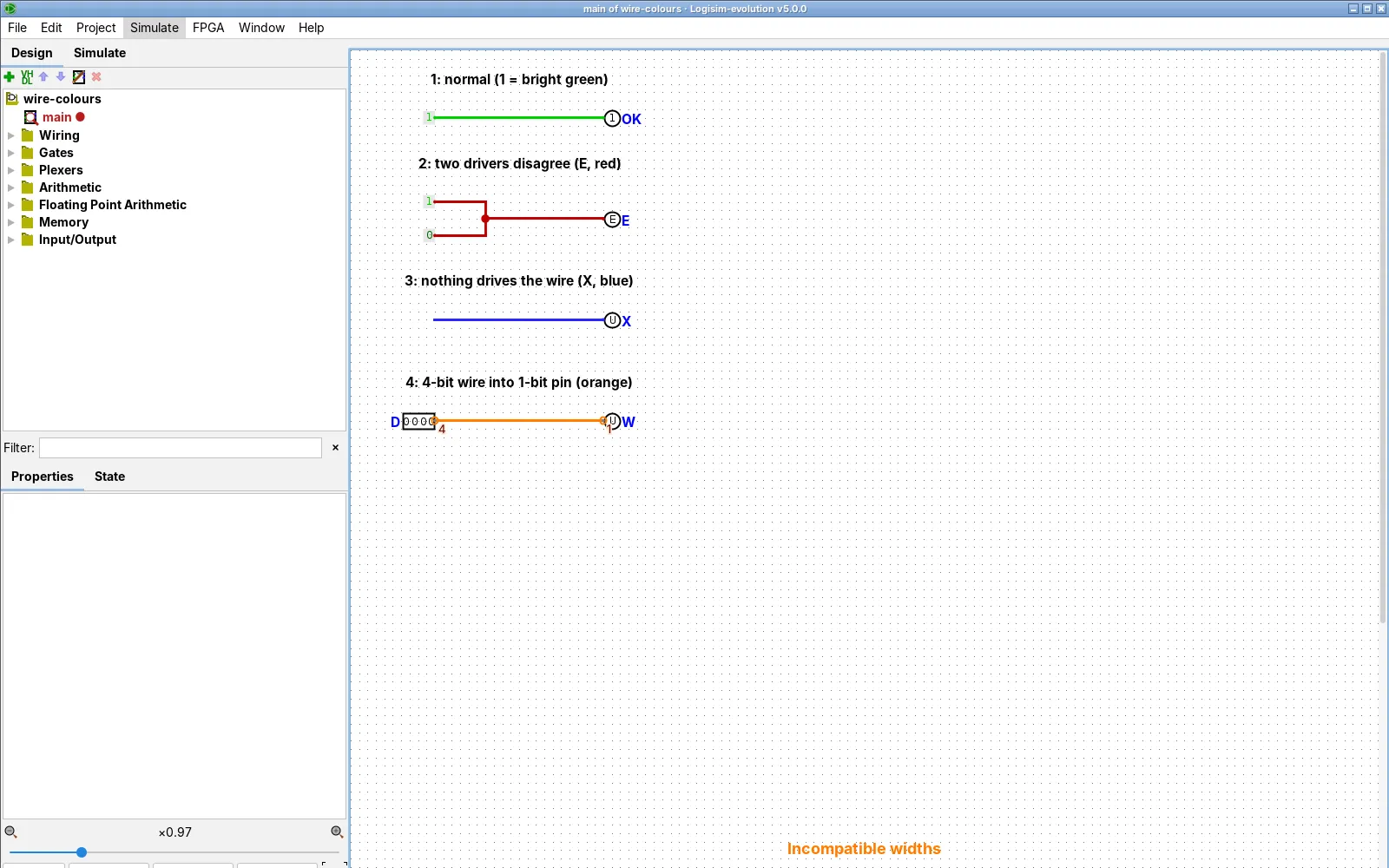
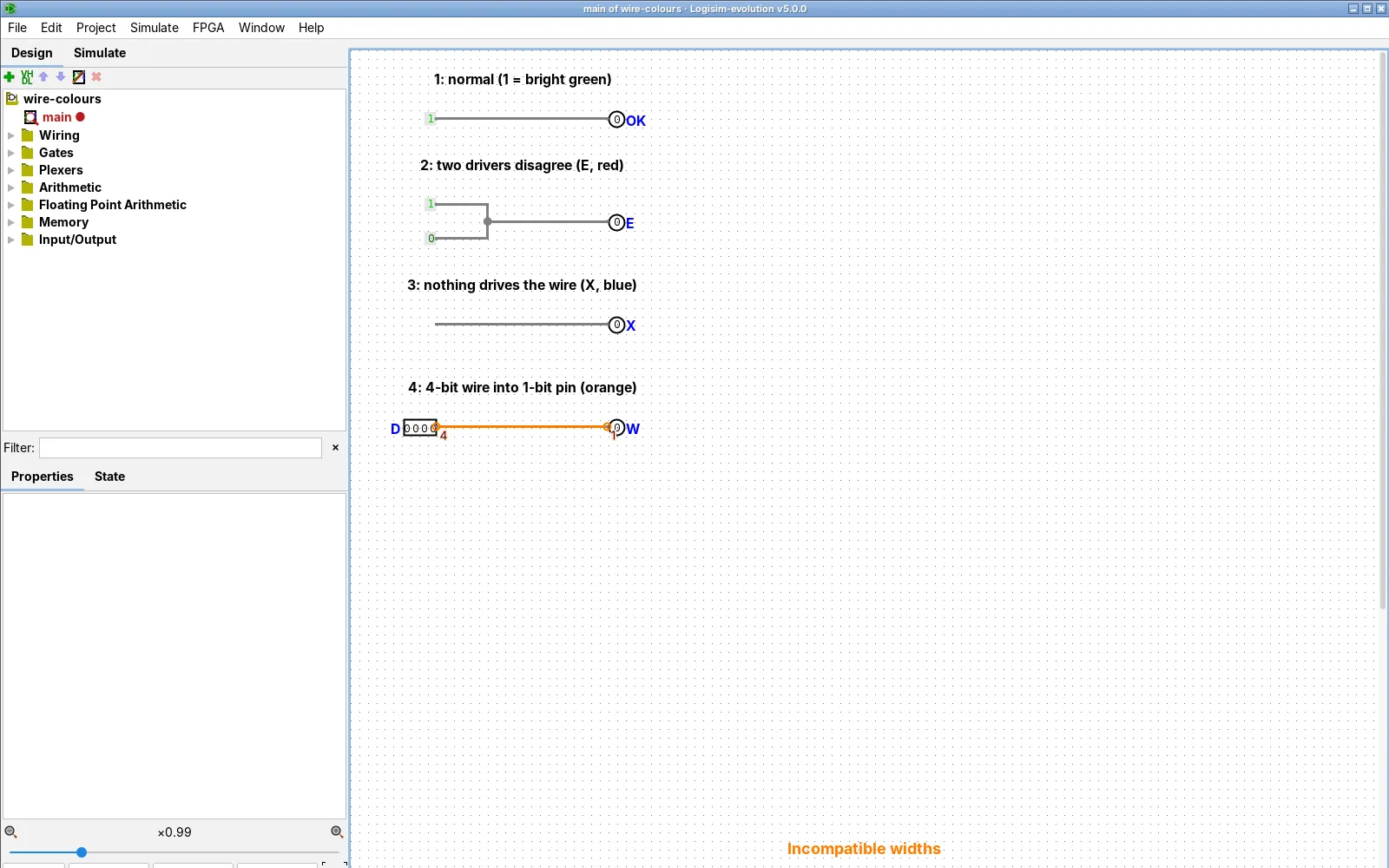
Labels are converted so they fit VHDL naming rules. After opening, wires stay grey until you click the canvas or press Ctrl+R (F03). This is not special to old files: 5.0.0 does the same with its own files, on Linux and on a Windows desktop (F45, F49).
A 5.0.0 file in classic 2.7.1
It fails, even for a plain full adder (F04):
File Error: full-adder-v5: The built-in library FPArithmetic is not availableClassic 2.7.1 dialog (F04).
A classic Logisim 2.7.1 dialog titled File Error with a red stop icon. The text starts: full-adder-v5: The built-in library FPArithmetic is not available, and continues past the edge of the box. There is one OK button.
There is no conversion back that upstream documents. Rebuild the circuit in 2.7.1, or ask the other person to install 5.0.0.
How to see which version saved a file
Open the .circ file in a text editor. Line 2 starts with <project source="...: the number is the version that saved it. Our .circ Viewer reads it for you.
Files between Evolution versions
Files saved by 5.0.0 that use only basic components (gates, a multiplexer, a subcircuit) opened and computed correctly in 4.1.0 and 3.8.0 in our command-line test (F68). We did not test the GUI or components that are new in 5.0.0. Upstream notes that 4.0.0 changed pin behaviour and 5.0.0 changed how RAM line enables work. See the .circ file page.
The forks and course builds
| Holy Cross Edition | A fork by Kevin Walsh (latest v5.3.1, 21 Aug 2026). College of the Holy Cross CSCI 226 uses a 5.0.4hc jar. Its 5.x numbers are unrelated to Logisim-evolution 5.0.0. | If your course gives it to you. |
|---|---|---|
| Logisim-ITA | An Italian fork of classic 2.7.x. Swarthmore CS31 uses it. | If your course gives it to you. |
| Cornell snapshot | A snapshot of Logisim Evolution on the Cornell CS3410 Resources page. | If you take that course. |
| CS61C course jar | The jar Berkeley CS61C hands out. Its page says not to use the version on the lab computers. | If you take that course. |
| Evolution 2.15.0 | Used by Duke ECE/CS 250 ("not a newer one") and NYU CSO. | If your course says so. |
| Evolution 3.4.1 and 3.8 | Used by U Toronto Mississauga CSC258 (3.4.1) and UP Microlab (3.8 jar). | If your course says so. |
No builds match.
A build your course gives you may differ from what our pages show. We have not tested file exchange with the forks.
What you gain and lose by switching to 5.0.0
You gain: speed (about 3.5 times in our benchmark, F19), installers with Java (F27), an Apple Silicon build, autosave, test vectors, the timing diagram, FPGA support, and 121 more components that you can place (178 against 57, F23).
You lose: files you save no longer open in 2.7.1 (F04); menus and component names differ from old course screenshots; and autograders written for classic that call -tty table expect the classic behaviour (F05).
Download the version you chose
Only Logisim-evolution has FPGA support; see the FPGA guide.