Should you still use 2.7.1?
Use it when your course, an autograder or shared files require it. Otherwise use Logisim-evolution 5.0.0; Logisim or Logisim-evolution explains the difference. Carl Burch’s last release was 2.7.1 on 21 March 2011, and the project has not been updated since. His site carries a notice that he suspended work on it. The program still does what it did, and many courses keep using it.
Download the files
Everything comes from the project’s SourceForge folder. We do not host these files.
| logisim-generic-2.7.1.jar | 6.9 MB | Every system, with Java | Needs Java. Runs on Java 17 and 21 (F21). | 362a78c12ad18c203fed868872c4a01cd9c12141379d92e892bbe2c37e627bc2 |
|---|---|---|---|---|
| logisim-win-2.7.1.exe | 7.0 MB | Windows | Windows wrapper around the jar. | not measured |
| logisim-macosx-2.7.1.tar.gz | 6.4 MB | Mac | The old Mac app asks for Java SE 6. Use the jar instead. | not measured |
No files match.
Use the generic jar on every system. The full hash of the jar is {jar.sha256}. Compare it after downloading.
sha256sum logisim-generic-2.7.1.jar
Open the SourceForge 2.7.1 folder
Run it on Windows 10 and 11
Install Java 17 or 21
See Java requirements for where to get it.
Check: java -version in a terminal prints a version number.
Put the jar in a folder you will remember
Documents or a course folder both work.
Check: logisim-generic-2.7.1.jar sits in that folder.
Start it
Double-click the jar, or run it from a terminal:
java -jar logisim-generic-2.7.1.jarCheck: A window titled Logisim opens.
We tested the jar on a Windows desktop with Temurin 17.0.21: the process was running and the main window was on screen after 15 seconds (F58).
Classic Logisim 2.7.1 on a Windows 11 desktop: a window titled "Logisim: main of Untitled" with a toolbar, the circuit tree (Wiring, Gates, Plexers, Arithmetic, Memory, Input/Output, Base) and an empty dotted canvas.
The logisim-win-2.7.1.exe wrapper needs a separately installed Java; we did not run it. If double-clicking the jar does nothing, see Java requirements.
Run it on a Mac (Apple Silicon and Intel)
Do not use logisim-macosx-2.7.1.tar.gz. Users report that its app asks for the legacy Java SE 6 runtime, which a current Mac does not have; we did not run that app, so this is a report, not our test.
To open "Logisim" you need to install the legacy Java SE 6 runtime.Reported by users when starting the old Mac app. Not reproduced by us.
Install Java 21 for your chip, then start the jar from Terminal:
java -jar ~/Downloads/logisim-generic-2.7.1.jar
With Temurin 21.0.13 on a macOS 15 Apple Silicon runner, the classic window titled “Logisim: main of Untitled” opened (F64). The app menu there is named “Main”. The runner’s Java was already installed, and the jar was downloaded by a script without the quarantine flag, so we did not test whether a browser-downloaded jar run from Terminal triggers a Gatekeeper prompt. Mac install notes are in install on a Mac.
Classic Logisim 2.7.1 on a macOS 15 desktop: a window titled "Logisim: main of Untitled" with the toolbar, the circuit tree and an empty dotted canvas. The menu bar says Main, and a Java icon is in the Dock.
Run it on Linux
Two routes work.
- The Debian or Ubuntu package.
sudo apt install logisiminstalls 2.7.1 (package version2.7.1~dfsg-4), not Logisim-evolution (F22). It is a rebuild by the distribution, so its jar has a different hash from SourceForge’s (81a8f200…2985). - The SourceForge jar with OpenJDK 17 or 21 (F21).
On Ubuntu’s Java 8 the jar crashed with an accessibility error; adding one option fixes it:
java.awt.AWTError: Assistive Technology not found: org.GNOME.Accessibility.AtkWrapperTerminal, Java 8 on Ubuntu
java -Djavax.accessibility.assistive_technologies=" " -jar logisim-generic-2.7.1.jar
Classic Logisim and Logisim-evolution can be installed side by side on Linux; we installed both in the lab and on a test machine.
What is different from Logisim-evolution 5.0.0
Cells without our own data say “not tested”.
| Feature | 2.7.1 | 5.0.0 |
|---|---|---|
| Components you can place | 2.7.1: partial57 in 7 libraries (F23) | 5.0.0: yes178 in 14 libraries (F23) |
| Test vectors | 2.7.1: no | 5.0.0: yesthe command-line test exits 0 even on a failure (F17) |
| Timing diagram | 2.7.1: no | 5.0.0: yes |
| FPGA download | 2.7.1: no | 5.0.0: yes |
| Autosave | 2.7.1: nonone: save often | 5.0.0: yes |
| Simulation speed (16-bit counter benchmark) | 2.7.1: partial112 to 138 kHz | 5.0.0: yes405 to 465 kHz on the same machine and Java 21 (F19) |
| --tty table | 2.7.1: partialprints current outputs and runs until a halt pin goes high (F05) | 5.0.0: yesprints the full truth table and exits (F05) |
The same circuit looks different in the two windows. Compare yours with these, both from Windows test desktops:
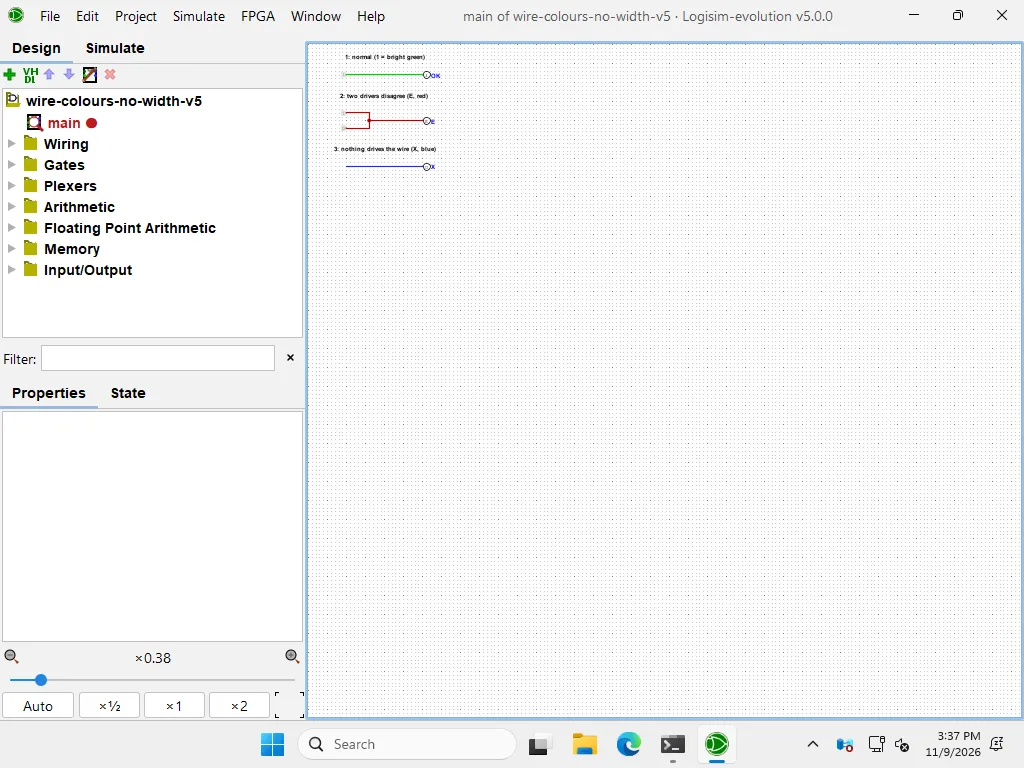
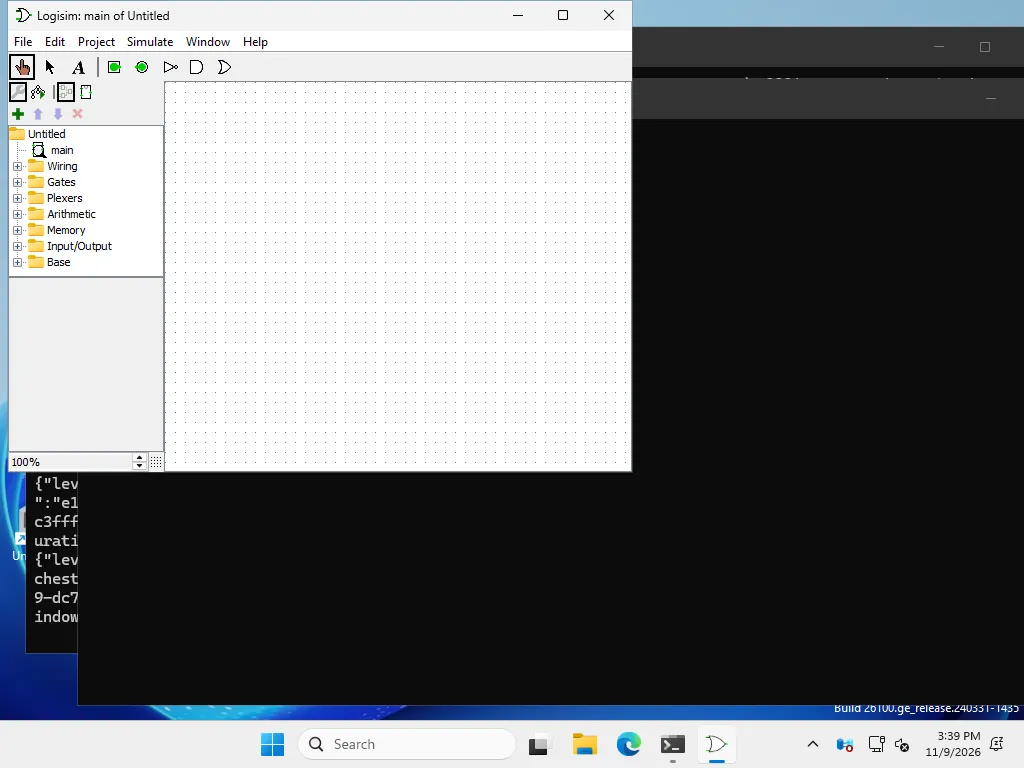
Command line in 2.7.1
Classic uses single-dash options: -tty table, -tty speed. -tty table prints the outputs for the current inputs and keeps simulating until an output pin labelled halt goes high. With no halt pin it never exits; we killed it after 25 seconds (F05). To make it exit, add an output pin labelled halt and wire a constant 1 to it. In our example the table prints one row and the program returns at once (F93).
java -jar logisim-generic-2.7.1.jar -tty table circ-l271-full-adder-halt.circ
0 0
Download the full adder with a halt pin, saved in 2.7.1 format. Its input pins are set to not be three-state; without that, classic printed E for each output. The 5.0.0 command is --tty table with a double dash and it prints the whole truth table; see Command line reference.
Files: 2.7.1 and Logisim-evolution
Logisim-evolution 5.0.0 opens a 2.7.1 file in compatibility mode and shows a warning (F02). Saving converts the file. 2.7.1 cannot open the result, even for a plain full adder (F04).
A classic Logisim 2.7.1 dialog titled File Error with a red stop icon. The text starts: full-adder-v5: The built-in library FPArithmetic is not available, and continues past the edge of the box. There is one OK button.
The built-in library FPArithmetic is not availableLogisim 2.7.1 File Error when opening a file saved by 5.0.0
“Logisim 2.7.2” and other builds
Carl Burch published no 2.7.2. Builds with that name come from other people; one example is Cornell’s patched jar for its course. The logisim.app browser port runs classic Logisim through CheerpJ, and its announcement calls the version 2.7.2. We loaded it in Chromium and saw the classic window “Logisim: main of Untitled” and the classic library list. It was usable after 5 to 15 seconds and about 28.7 MB (F50). See Logisim online. Logisim-ITA continues the 2.7 line, as described in Logisim or Logisim-evolution.
Help and documentation for 2.7.1
The 2.7 User’s Guide and Library Reference are on Carl Burch’s site, frozen since 2011. Menu names differ between versions; see Interface and shortcuts when available. The error list marks messages that appear in 2.7.1.
For a teacher’s view, see Logisim for teachers.